How to Transition Legacy CAD Data into Intelligent 3D BIM Environments
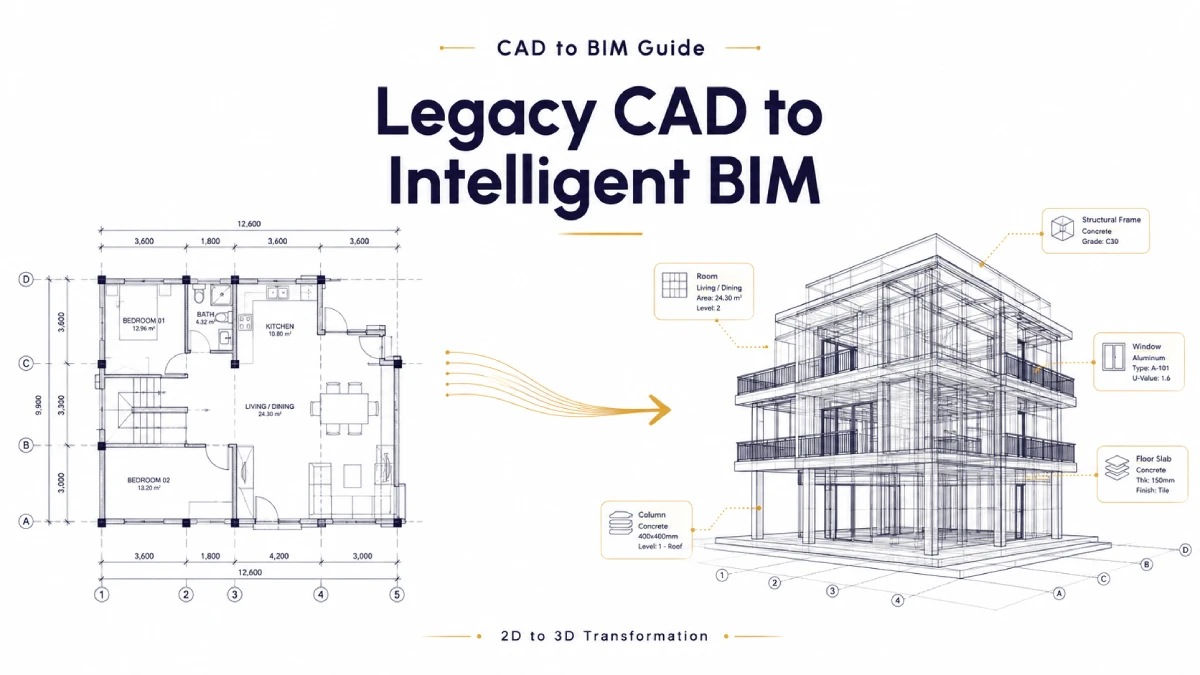
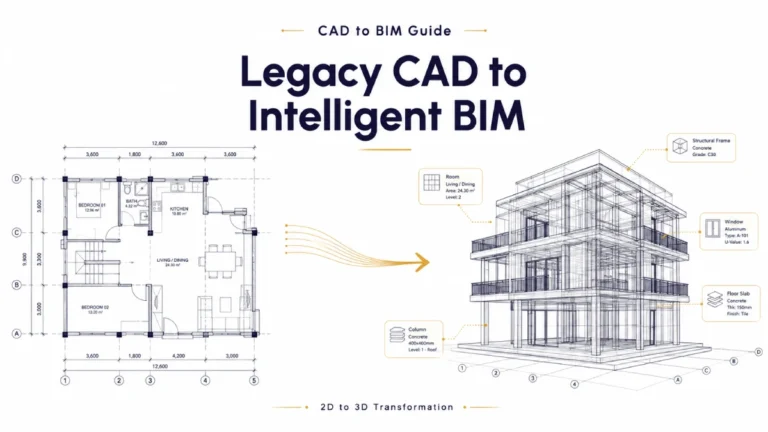
For decades, two-dimensional Computer-Aided Design (CAD) files utilizing standard vector formats like DWG and DXF served as the undisputed global foundation for architectural documentation. Millions of existing buildings, historic structures, master plans, and structural assembly details currently exist solely as flat, multi-layered lines.
However, the Architecture, Engineering, and Construction (AEC) industries are undergoing a permanent operational shift. Modern project timelines, aggressive sustainability mandates, and the widespread adoption of cloud-coordinated project environments require designs to live within rich, information-dense Building Information Modeling (BIM) frameworks.
Simply importing a two-dimensional layout into a three-dimensional modeling interface and tracing over the vectors is an insufficient approach to modern asset management. True CAD-to-BIM migration is not a cosmetic visual upgrade. It is an intricate process of database reconstruction. The goal is to convert static, unyielding geometry into dynamic, parametric objects embedded with critical metadata regarding material classification, thermal properties, structural load tolerances, and manufacturing origins.
This guide provides an exhaustive, practical breakdown of the technical frameworks, quality control pipelines, and strategic data layers required to successfully transform legacy CAD archives into fully coordinated, intelligent BIM environments.
The Structural Blueprint for CAD-to-BIM Conversion
Executing a flawless migration requires a highly disciplined, linear process. Attempting to generate three-dimensional models before thoroughly sanitizing the source files inevitably introduces corrupted geometry, spatial alignment failures, and inaccurate material take-offs.
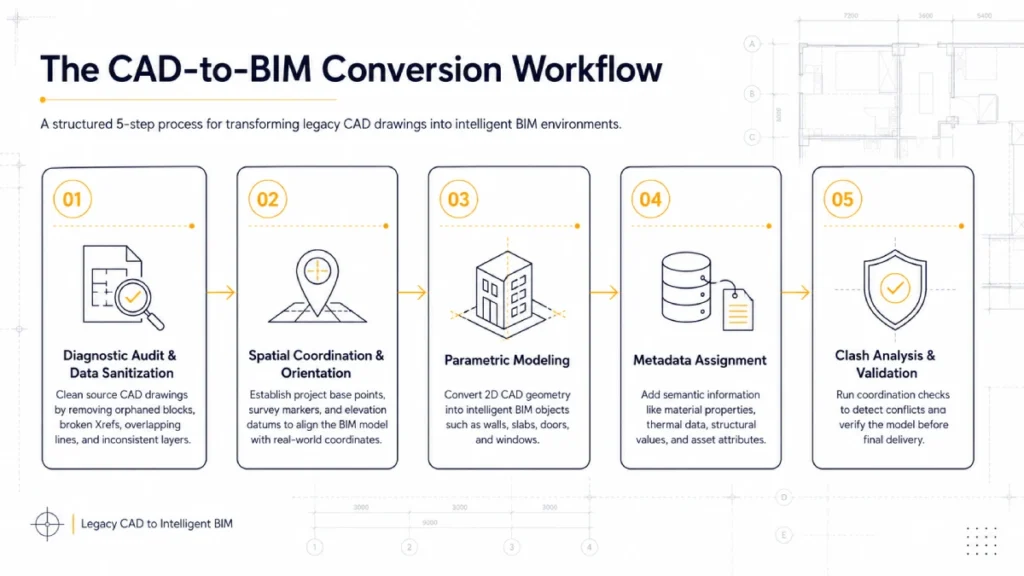
1.The Diagnostic Audit and Data Sanitization Phase
Before any conversion begins, the source CAD drawings must undergo a rigorous cleaning process. Technical specialists manually identify and purge orphaned blocks, resolve broken external references (Xrefs), eliminate overlapping lines, and unify fractured layer structures. Passing unoptimized vector data into a BIM engine introduces system errors and distorts the parametric framework.
2.Spatial Coordination and Geographic Orientation:
Building Information Modeling operates on real-world spatial coordinates. Engineers must establish absolute project base points, survey markers, and precise elevation datum lines inside the destination BIM software environment, such as Autodesk Revit. This step ensures that all architectural, structural, and mechanical layers align flawlessly with external geographic data
3.Parametric Modeling and Component Generation:
Using the sanitized two-dimensional vector layout as an explicit positional underlay, modelers construct native parametric assemblies. Flat vector lines are translated into genuine architectural objects like multi-layer compound walls, structural slabs, windows, and doors. These elements automatically update cross-sectional elevations and plan views simultaneously when altered.
4.Semantic Data Ingestion and Asset Metadata Assignment:
This stage transforms three-dimensional shapes into intelligent, interactive BIM entities. Engineers inject explicit metadata attributes directly into the individual building components. Structural pillars receive steel grade and yield strength data, while exterior walls are assigned exact thermal resistance ratings and acoustic classification attributes to support future lifecycle tracking.
5.Automated Clash Analysis and System Validation:
Once the complete structural, architectural, and mechanical geometries are constructed, the consolidated model is compiled into an advanced coordination engine like Navisworks. Automated conflict algorithms run comprehensive clash detection tests to identify overlapping components, such as structural steel beams intersecting plumbing lines, resolving field construction errors in the digital phase.
Categorizing the Target Level of Development (LOD)
A frequent and costly error in large-scale data migration projects is failing to define the specific Level of Development required for the end-use case. Over-modeling structural components beyond the necessary project scope wastes precious processing power and inflates engineering costs, while under-modeling leaves field teams without actionable data.
The American Institute of Architects (AIA) defines the standard LOD framework, which serves as a vital roadmap for determining exactly how much geometric and non-geometric data must be authored during the conversion process:
| LOD Classification | Graphic Granularity | Embedded Asset Metadata | Primary Industry Utilization |
|---|---|---|---|
| LOD 100 | Conceptual spatial massing | Broad spatial definitions, area constraints, and geographic orientation. | Preliminary site analysis, zoning validation, and feasibility studies. |
| LOD 200 | Generalized structural systems | Approximate geometric sizing, placeholder layout volumes, and structural assumptions. | Schematic design phases and broad spatial coordination checks. |
| LOD 300 | Precise assembly geometry | Exact structural dimensions, real-world locations, specific material compositions, and slope paths. | Detailed construction documentation, building permit submittals, and bidding. |
| LOD 400 | Fabricator-ready modeling | Detailed assembly instructions, exact reinforcement steel layouts, weld specifications, and shop connections. | Pre-fabrication, off-site manufacturing, and complex field assembly. |
| LOD 500 | Field-verified operational as-builts | Actual purchase dates, specific manufacturer serial numbers, operational life histories, and maintenance records. | Lifecycle facility management, corporate real estate operations, and renovations. |
Overcoming Key Operational Roadblocks
While the long-term operational advantages of migrating legacy data to BIM are extensive, managing this transformation completely within an active design studio presents significant internal friction:
- Software and Hardware Capital Demands: Moving from traditional drafting workstations to enterprise-grade BIM software requires massive capital investments in specialized floating network licenses, cloud-collaboration servers, and high-performance processing hardware.
- The Technical Skillset Deficit: Proficient two-dimensional draftspeople are not automatically skilled BIM modelers or database managers. Training internal staff involves steep learning curves that can directly reduce billable project hours on current client accounts.
- Production Capacity Bottlenecks: Forcing senior design leaders to manually rebuild dozens of historic archives detracts from their primary responsibilities, which include winning new client bids, refining active design concepts, and managing construction administration.
Developing the Ideal Strategy: Safe Data Migration Checklist
For firms planning to execute a comprehensive modernization program, using a structured checklist ensures that intellectual property remains secure, files remain clean, and data remains uncorrupted:
- Define clear asset criteria: Establish the exact file versions, software standards, and naming conventions required before any work is performed.
- Verify geometry accuracy: Check that original dimensions in old CAD files match the scaled output inside the new BIM software environment.
- Construct custom component libraries: Build standardized parametric object files (Revit Families) prior to bulk modeling to keep system components uniform across projects.
- Implement strict data encryption: Secure all files with enterprise-grade encryption methods during transit to protect proprietary building secrets and sensitive client data.
- Run comprehensive validation checks: Audit all completed files using automated verification scripts to ensure that zero unlinked elements or corrupted parameters remain in the final model database.
Next Steps
Converting legacy CAD databases into intelligent, three-dimensional Building Information Modeling environments is no longer a luxury choice for forward-thinking architecture practices. It is a fundamental operational necessity required to thrive in a highly connected, data-driven real estate market. By transforming static vector drawings into interactive, object-oriented parameters, studios significantly lower long-term change orders, generate flawless material estimations, and provide unparalleled visual clarity to project stakeholders.
Partner with Engineering Experts
Managing large-scale data migrations requires specialized expertise, robust quality control frameworks, and deep software knowledge. If your firm wants to scale its conversion capacity, modernize legacy drawing archives seamlessly, or deploy advanced BIM workflows without impacting internal production timelines, Khodiyar eSolutions Pvt. Ltd. offers the dedicated technical infrastructure and specialized engineering resources to achieve your goals securely and accurately.